Walk the site.
Snap. Talk. Done.
Estimate the job. Update the customer. All from the same project workspace.
PEXIA turns messy jobsite information - photos, videos, voice notes, drawings, PDFs, and customer messages - into estimates, proposals, updates, change orders, invoices, and profit insights, with your approval before anything goes out.
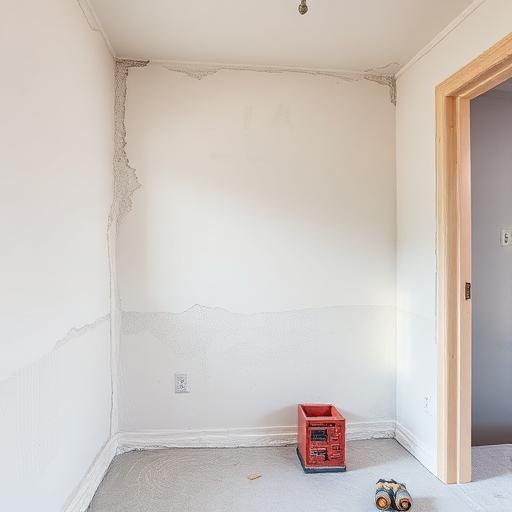
Walk the site
Maple St. renovation











Two workflows. One project workspace.
Estimate the job and update the customer, all from the same project.
Estimate
Turn jobsite photos into estimate drafts, proposals, change orders, and invoices.
- Photo-first estimates
- Follow-up questions
- Auto-filled estimate forms
- Approval before sending
Confidence 72% • Contractor approval required
Update
Turn work photos, videos, and voice notes into customer updates, proof records, reports, and completion summaries.
- Progress updates
- Proof records
- Reports
- Customer-facing approvals

How a job moves through PEXIA
- 1Capture photos, video, voice, drawings, or customer messages
- 2PEXIA understands the scope
- 3PEXIA asks the missing questions
- 4PEXIA builds the estimate, proposal, or update
- 5Contractor reviews and approves
- 6Customer receives only the approved version
Built for the trades
- Roofing
- Electrical
- Plumbing
- Painting
- Remodeling
- Landscaping
- General
From field info to paid work.
Contractors lose money when job details are scattered across camera rolls, text messages, calls, and memory. PEXIA brings the field, office, customer, and money workflow into one project workspace.
Capture the job
Photos, videos, voice notes, drawings, PDFs, and customer messages.
Build the scope
Line-by-line work description with assumptions and exclusions.
Price the work
Labor, materials, markup, margin, and a suggested price range.
Send the proposal
Good / Better / Best options with customer approval links.
Protect extra work
Change orders with photos, notes, pricing, and sign-off.
Get paid
Approved estimates and change orders flow into invoices.
Learn the margin
Estimate vs. actual profit review after the job.
Stay in control
You review and approve before anything reaches the customer.
One workspace
Field, office, customer, and money stay together on every project.
Two workflows. One workspace.
Whether you're pricing the job or updating the customer, PEXIA handles the draft and you handle the approval.
Estimate the job
Walk the site
Open a project and capture the jobsite.
Snap or upload
Add photos, videos, voice notes, or a drawing (PDF, DWG, DXF, CAD).
Talk
Answer PEXIA's follow-up questions by chat or voice.
Done
Review the estimate, proposal, scope, labor, and materials before sending.
Update the customer
Do the work
Complete work on the jobsite as usual.
Snap progress
Capture progress photos, videos, and voice notes.
Talk
Add notes about what was done, issues found, or next steps.
Done
Review the customer update, report, or completion summary before sending.
PEXIA does not guess. It asks what is missing.
When the jobsite information is incomplete, PEXIA asks follow-up questions before building the estimate.
Photos + drawings
Upload a photo or a drawing. Get a full estimate.
Snap a jobsite photo or upload a drawing, blueprint, or plan set (PDF, DWG, DXF, and other CAD formats). Describe what needs doing by voice or text, and PEXIA builds the full scope of work, labor, materials, and a suggested price, ready for your approval.
- Jobsite photos & videos
- Drawings & blueprints (PDF, DWG, DXF)
- Voice notes or typed scope
- Plans, specs & spreadsheets
Full scope of work
PEXIA reads the drawing and photos and writes a line-by-line scope.
Labor breakdown
Crew hours and labor cost estimated by task and trade.
Materials takeoff
Quantities and material costs pulled from what it sees.
Priced estimate & proposal
A suggested price range plus a customer-ready proposal draft.
You review and approve every estimate before it goes to the customer.
Estimate from a drawingGood / Better / Best proposals
Turn one site visit into multiple customer-ready options. PEXIA helps contractors present a budget option, a standard option, and a premium option without rebuilding the estimate from scratch.
Budget-friendly scope
A lean option that covers the essentials at the lowest price.
Standard recommended scope
The balanced option most customers choose.
Premium solution
Premium materials, upgrades, or a complete solution.
What customers see vs. what stays private
You approve every customer-facing item. Everything internal stays with you.
Customer can see
- Approved estimates
- Approved proposals
- Approved photos and updates
- Approved change orders
- Approved invoices
- Completion reports
Internal only
- Draft notes
- Markup
- Margin
- Cost assumptions
- AI confidence
- Crew notes
- Estimate vs. actual profit
Reports
Generate professional reports from jobsite photos
PEXIA turns approved proof records into clean reports. Every report starts as a draft and requires approval before becoming customer-facing.
Daily Site Report
Progress Report
Before / After Report
Completion Report
Issue Report
Change Order Evidence
Warranty Report
Dispute Protection Pack
One capture can create the next step.
PEXIA keeps every draft connected to the right project, customer, media, and approval status.
Protect your margin before you send the estimate.
PEXIA keeps markup, margin, labor cost, material cost, and internal notes private so contractors can review the numbers before customers see anything.
- Contractor-only markup and margin
- Suggested price range
- Labor and material breakdown
- Low-margin warnings
- Estimate vs. actual tracking
- Profit review by job
Site Documentation
Turn field documentation into a paper trail.
Capture jobsite photos, videos, and voice notes from the field. PEXIA organizes them by project, transcribes voice notes, creates clean summaries, adds tags, and turns field documentation into customer updates, reports, change orders, completion summaries, and proof records.
Photo and video capture
Capture jobsite work from the field, organized by project.
Voice notes and transcription
Talk through the site and PEXIA transcribes it for you.
Multilingual field notes
Field notes in any language, with clean English summaries.
AI summaries and tags
Clean summaries and tags added automatically.
Proof records by project
Every photo, note, and approval kept with the job.
Customer-ready updates
Turn field docs into updates, reports, and completion summaries.
Dispute Protection Packs
PEXIA connects photos, timestamps, field notes, approved scopes, change orders, customer approvals, and invoices to the same project record so contractors have clean documentation when customers question work, pricing, or progress.
Less paperwork. Better updates. Fewer missed extras.
Estimate faster
Start with photos instead of blank forms.
Keep customers informed
Turn work photos into clean updates.
Protect your money
Capture change orders before extra work gets lost.
Simple pricing for solo contractors and growing crews.
Start with a 7-day complimentary trial. No credit card required. Cancel anytime.
Individual Pro
For solo contractors creating estimates and customer updates on their own.
Billed yearly
- 1 user
- Photo-first estimates
- Upload photos, drawings, PDFs, and voice notes
- Follow-up questions before estimates
- Clean scope of work drafts
- Customer update drafts
- Secure customer approval links
- Basic invoices
- Contractor-only markup and margin
Crew
For small crews running multiple jobs.
Billed yearly
- Up to 5 users
- Everything in Individual Pro
- Shared company workspace
- Crew photo and voice uploads
- Change orders
- Invoices
- Customer approval links
- Basic reports
Scale
For growing trade businesses with more jobs, crews, and approvals.
Billed yearly
- Up to 15 users
- Everything in Crew
- Advanced reports
- Profit review
- Estimate vs actual tracking
- Dispute protection packs
- Higher usage limits
- Priority support
Enterprise
For larger contractor teams and multi-crew operations.
- Everything in Scale
- Custom user limits
- Admin roles
- SSO and data controls
- Custom onboarding
- Dedicated success manager
- Enterprise support
Every plan starts with a 7-day complimentary trial.
Complimentary trials include limited AI usage. Upgrade anytime to continue without interruption.
Questions, answered straight
Ready to run projects from the jobsite?
Walk the site. Snap. Talk. Done.
No credit card • Cancel anytime